Raspbian which is OS for Raspberry Pi has 64bit edition so I tried it.
– 64bit edition is beta stage at 10/09/2021, so please think about using at your own risk.
Other stuffs you can find here.

What I did
Simply installing 64bit edition.
You can confirm by uname -a.
uname -a
Linux raspberrypi 5.10.63-v8+ #1457 SMP PREEMPT Tue Sep 28 11:27:02 BST 2021 aarch64 GNU/Linux
At 10/09/2021, this is the latest version.
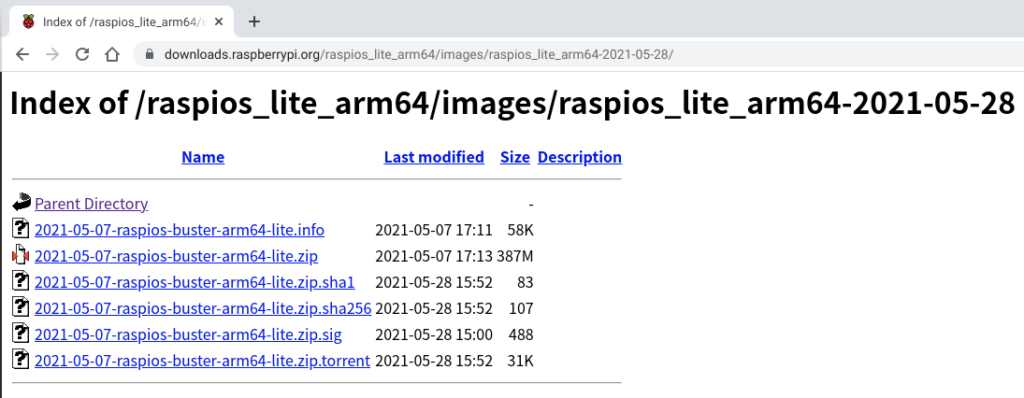
I downloaded and wrote by Imager.
– Link
Just FYI if you want to know how to use Imager which is official tool for reflashing OS.
Windows

Ubuntu

The base of WordPress is what I explained in this article.

Installation could be done by using the same command sets as 32bit.
# Update system to latest
sudo apt update
sudo apt upgrade

# Install docker, docker-compose
curl -fsSL https://get.docker.com | sudo sh
# docker-ce installation may finish with error but executing apt install again after reboot will suceed
sudo reboot
(rebooting)
sudo apt install docker-ce-cli docker-ce
sudo apt install docker-compose

# Download docker-compose.yml and related files
sudo apt install git
git clone https://github.com/kurofuku/wordpress-container.git
git clone https://github.com/kurofuku/reverse-proxy.git

# Start reverse-proxy
cd reverse-proxy
sudo docker-compose up -d

# Start wordpress-container
cd ../wordpress-container
sudo docker-compose build wordpress
sudo docker-compose up -d
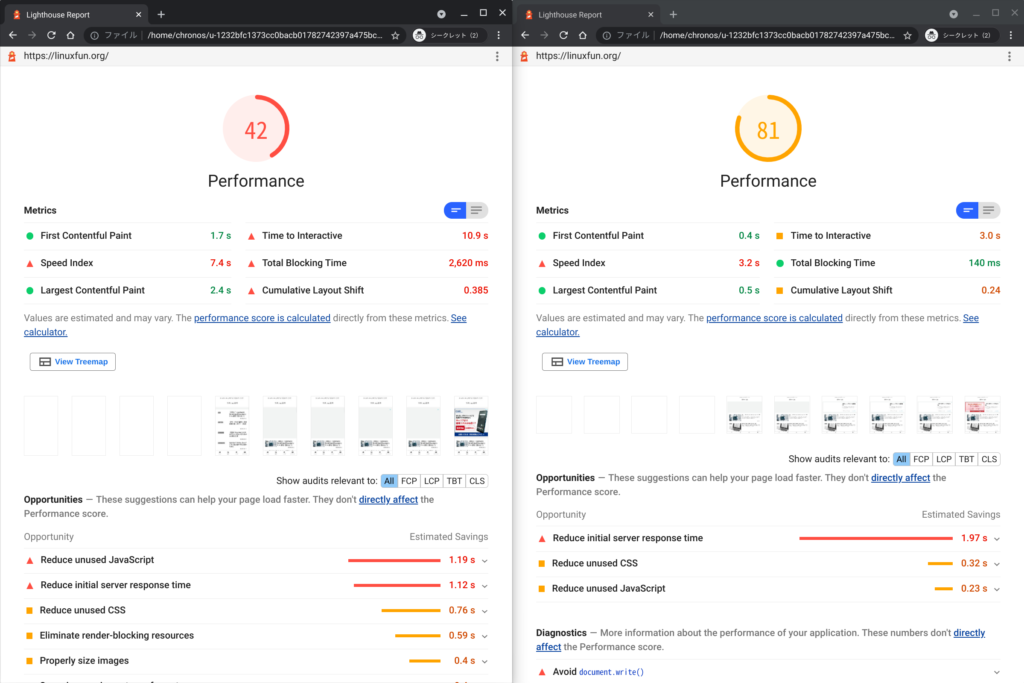
Before vs after
I measured with below condition.
- Using LightHouse in Developers Tools of Chrome browser.
  Checking Performance only
- Taking median as representative(n = 5).
- Measuring on secret tab of Chrome.
Before
<—Mobile Desktop—>
After
<—Mobile Desktop—>
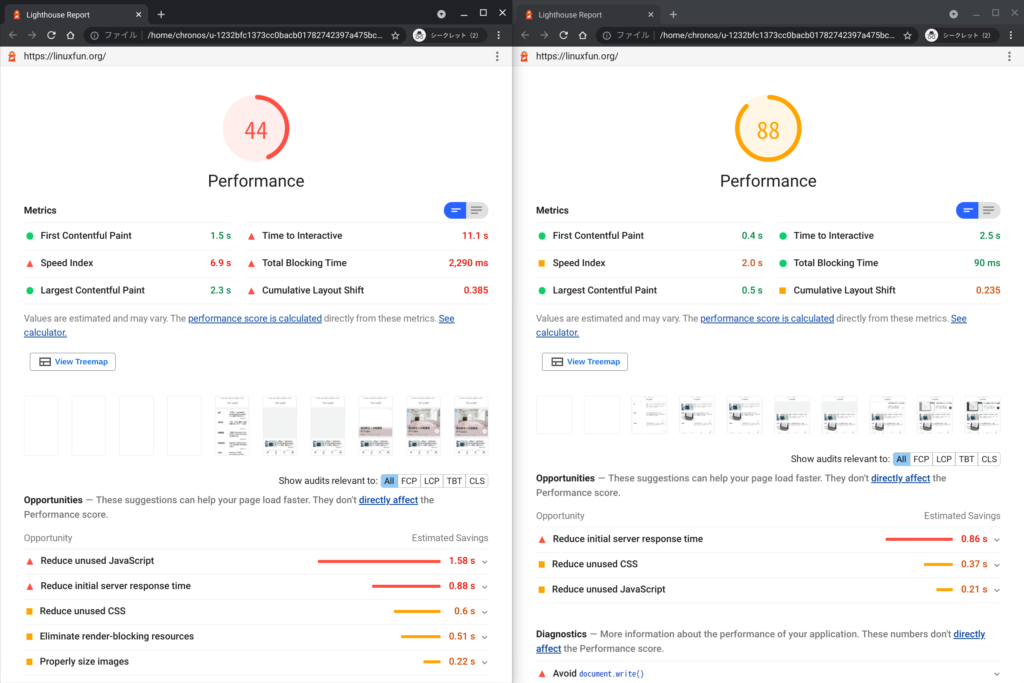
Mobile improved 2 points, Desktop did 7 points!
Conclusion
How was it?
64bit edition is beta stage so you may face unexpected errors.
But if you can resolve them I would recommend this!


Comments